After automating certificates with cert-manager , I realized I still had another repetitive problem.
Every new application meant opening Cloudflare, creating DNS records manually, copying ingress IPs, and eventually cleaning up stale entries later. That gets annoying quickly when you constantly rebuild clusters, deploy temporary apps, or work with ephemeral demo environments.
I wanted DNS records to behave the same way Kubernetes infrastructure behaves: declarative, automatic, and disposable.
That’s exactly what ExternalDNS solves.
In my case, I’m using the Nutanix Kubernetes Platform (NKP) , where ExternalDNS is available directly from the application catalog in NKP Pro and Ultimate.
The same concepts still apply to any Kubernetes distribution.
cert-manager vs ExternalDNS
A common misconception is assuming cert-manager and ExternalDNS solve the same problem.
They don’t.
| Component | Responsibility |
|---|---|
| cert-manager | Certificates |
| ExternalDNS | DNS records |
| Ingress Controller | Traffic routing |
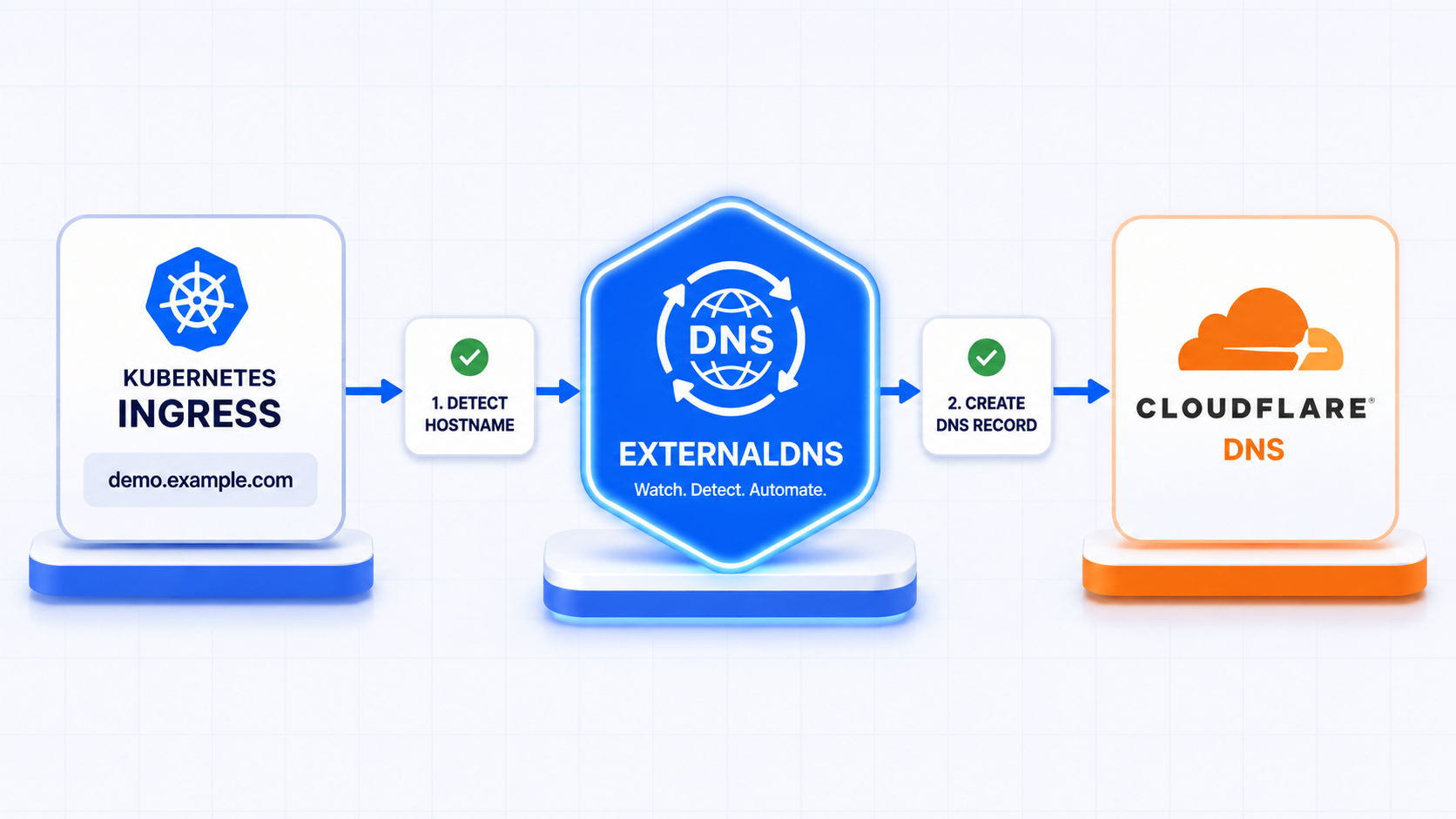
ExternalDNS watches Kubernetes resources and automatically creates DNS records in your DNS provider. That can include Ingress resources, Gateway API resources, or Services of type LoadBalancer.
In this example, I’m using Cloudflare as the DNS provider.
flowchart LR

    ingress[Ingress]
    externaldns[ExternalDNS]
    cloudflare[Cloudflare DNS]

    ingress -->|"1 - Detect hostname"| externaldns
    externaldns -->|"2 - Create DNS record"| cloudflare
Create a Cloudflare API Token
In Cloudflare Dashboard :
- Go to:
- Manage account, on the left sidebar menu
- Account API tokens
- Create Token
- Use:
- DNS → Edit
Avoid using the Global API Key and scope the token only to the DNS zone(s) you actually need.
Even though cert-manager and ExternalDNS can technically share the same token, I usually prefer using separate tokens for operational separation.
Create the Cloudflare Secret
Before enabling ExternalDNS in NKP, create the Cloudflare API token secret in the workspace namespace of each target cluster.
kubectl --kubeconfig=<selected-cluster> \
  --namespace <workspace-namespace> \
  create secret generic cloudflare-api-token \
  --from-literal=cloudflare_api_token=<secret>
In NKP, workspace-scoped applications propagate to the clusters attached to that workspace, which makes this a convenient place to manage shared platform services like ExternalDNS.
Enable ExternalDNS in NKP
In NKP Pro and Ultimate, ExternalDNS can be enabled directly from the application catalog.
NKP exposes the configuration through application overrides, which can be configured globally at the workspace level or customized per cluster.
The same configuration values can also be used with NKP Starter, but ExternalDNS must be deployed and managed manually instead of through the NKP application catalog. That also means the ExternalDNS lifecycle becomes the user’s responsibility.
For this setup, I’m using a combination of global workspace overrides and per-cluster overrides.
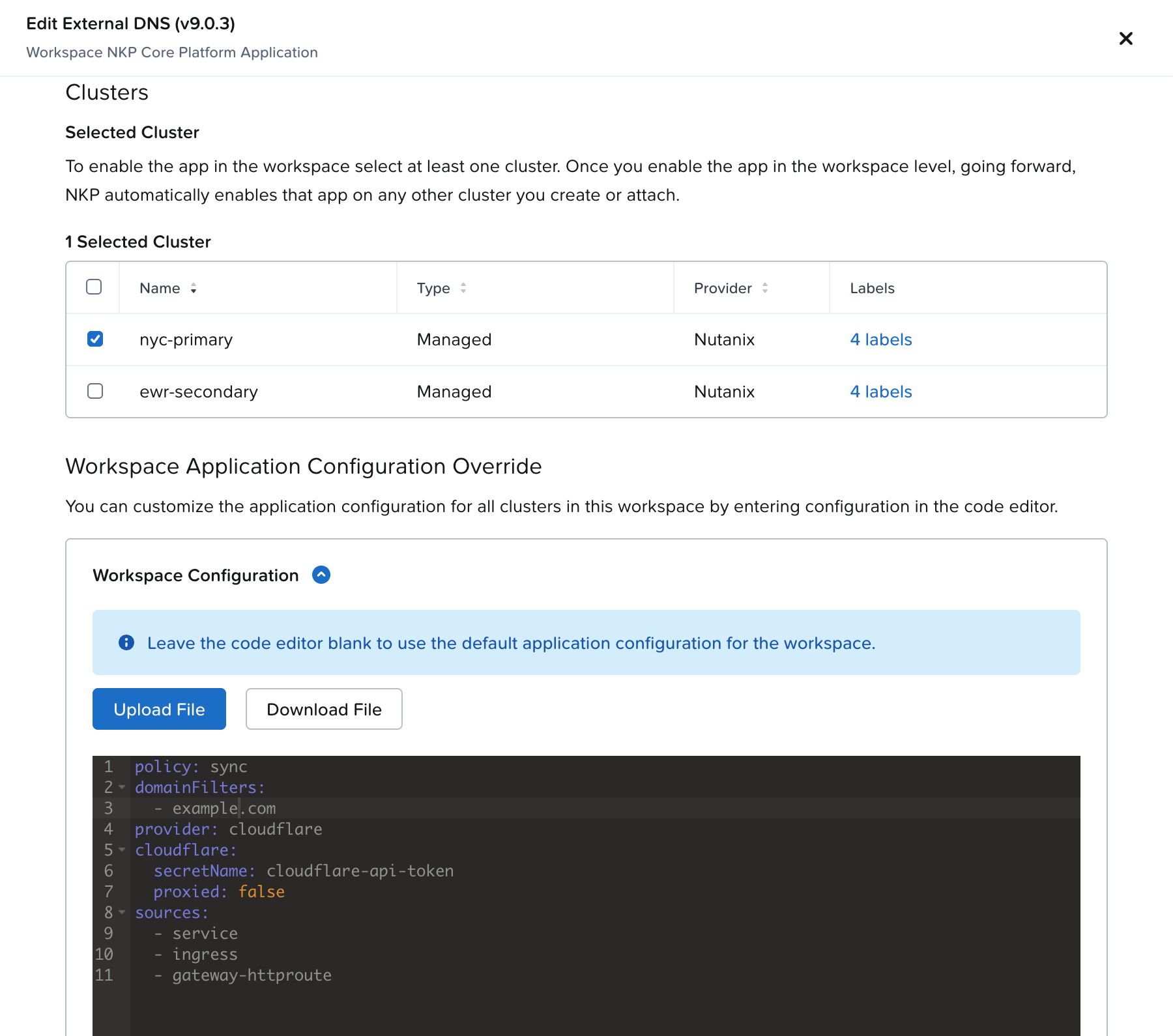
The Workspace Application Configuration Override is:
policy: sync

domainFilters:
  - example.com

provider: cloudflare

cloudflare:
  secretName: cloudflare-api-token
  proxied: false

sources:
  - service
  - ingress
  - gateway-httproute
In this setup, gateway-httproute enables Gateway API support in addition to traditional Ingress resources, policy: sync allows ExternalDNS to fully reconcile records instead of only creating them, and proxied: false makes sense for internal or private environments where the services are not publicly reachable through Cloudflare Proxy.
Show screenshot with example
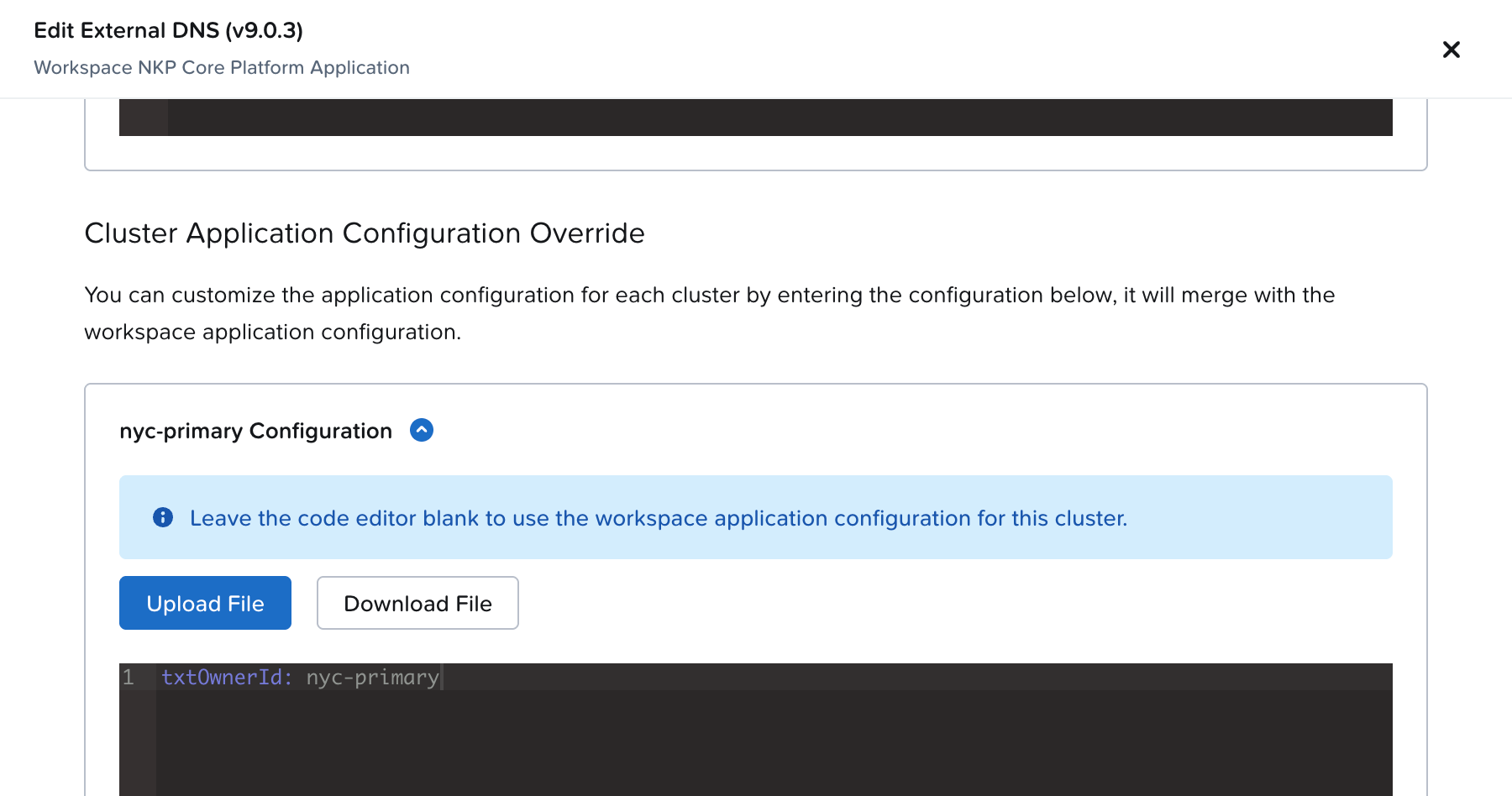
Since I have a couple of NKP clusters in my Workspace, I want to set a custom value using the Cluster Application Configuration Override:
txtOwnerId: <cluster-name>
txtOwnerIdhelps identify which ExternalDNS instance owns the records
Show screenshot with example
After enabling the application, verify the deployment:
kubectl --namespace <workspace-namespace> get deployment external-dns
Create an Ingress
Now create an ingress with a hostname annotation.
Create ingress.yaml:
apiVersion: networking.k8s.io/v1
kind: Ingress
metadata:
  name: demo

  annotations:
    external-dns.alpha.kubernetes.io/hostname: demo.example.com

spec:
  ingressClassName: kommander-traefik

  rules:
  - host: demo.example.com
    http:
      paths:
      - path: /
        pathType: Prefix
        backend:
          service:
            name: demo-service
            port:
              number: 80
Note: If you are using a different Kubernetes distribution, change the ingressClassName. Also, you don’t need a running application with a service to test ExternalDNS. Just creating the Ingress is enough.
Apply it:
kubectl apply -f ingress.yaml
Watch ExternalDNS Create the Record
Check the logs:
kubectl -n <workspace-namespace> logs deploy/external-dns -f
Within a few seconds, you should see ExternalDNS detecting the hostname and creating the DNS record in Cloudflare.
time="2026-05-14T15:58:05Z" level=info msg="All records are already up to date"
time="2026-05-14T15:59:06Z" level=info msg="Changing record." action=CREATE record=demo.example.com ttl=1 type=A zone=485bbd1ca5c0f55aed6707d8d52d2a46
time="2026-05-14T15:59:06Z" level=info msg="Changing record." action=CREATE record=a-demo.example.com ttl=1 type=TXT zone=485bbd1ca5c0f55aed6707d8d52d2a46
time="2026-05-14T16:00:08Z" level=info msg="All records are already up to date"
You can also verify directly from Cloudflare or using dig:
dig demo.example.com
At this point:
- Kubernetes created the Ingress
- ExternalDNS detected the hostname
- Cloudflare received the DNS record
- The application became reachable through the new FQDN
Ownership TXT Records
You may notice ExternalDNS also creates TXT records automatically.
These ownership records help ExternalDNS track which records it manages and avoid conflicts between multiple clusters or ExternalDNS instances sharing the same DNS zone. That’s expected behavior.
Gateway API Support
This example used a traditional Ingress resource to keep the workflow compact and easy to follow, but ExternalDNS also supports Gateway API resources through the gateway-httproute source configured earlier.
That becomes especially useful if you are already moving toward Gateway API for Kubernetes traffic management.
TL;DR
ExternalDNS automatically creates and manages DNS records directly from Kubernetes resources.
For me, this removed another repetitive operational task from rebuilding Kubernetes demo and lab environments: manually creating DNS records, copying ingress IPs, and cleaning up stale DNS entries later.
Now DNS behaves much more like Kubernetes infrastructure itself: declarative, automated, and disposable.
In the next post, we’ll connect ExternalDNS and cert-manager together so applications automatically get:
- DNS records
- Trusted HTTPS certificates
- Kubernetes TLS secrets